Quickstart CLI
Overview
Ask your AI to “use tscircuit to create a circuit project and start the preview.” It can handle installation and run the CLI in environments with tool access. The steps below explain how to do this yourself and refine the result.
Manual installation
You can install the tscircuit CLI by running npm install -g tscircuit.
Create a new Project
First, create a new tscircuit project by running tsci init. This will create a new directory with all the necessary files to get started:
tsci init
Created: ./index.tsx
Created: ./.npmrc
Created: ./package.json
Created: ./tsconfig.json
Created: ./.gitignore
Initializing project in ./...
Updated package.json to remove unnecessary fields.
Installing dependencies...
added 38 packages, and audited 39 packages in 26s
3 packages are looking for funding
run `npm fund` for details
found 0 vulnerabilities
Dependencies installed successfully.
🎉 Initialization complete! Run "tsci dev" to start developing.Run the Development Server
Next, start the development server by running tsci dev. This will start a local server that automatically rebuilds your circuit when you make changes:
tsci dev
Found entrypoint at: ./index.tsx
Installing types for imported snippets... done
@tscircuit/cli@0.1.79 ready in 444ms
➜ Local: http://localhost:3020
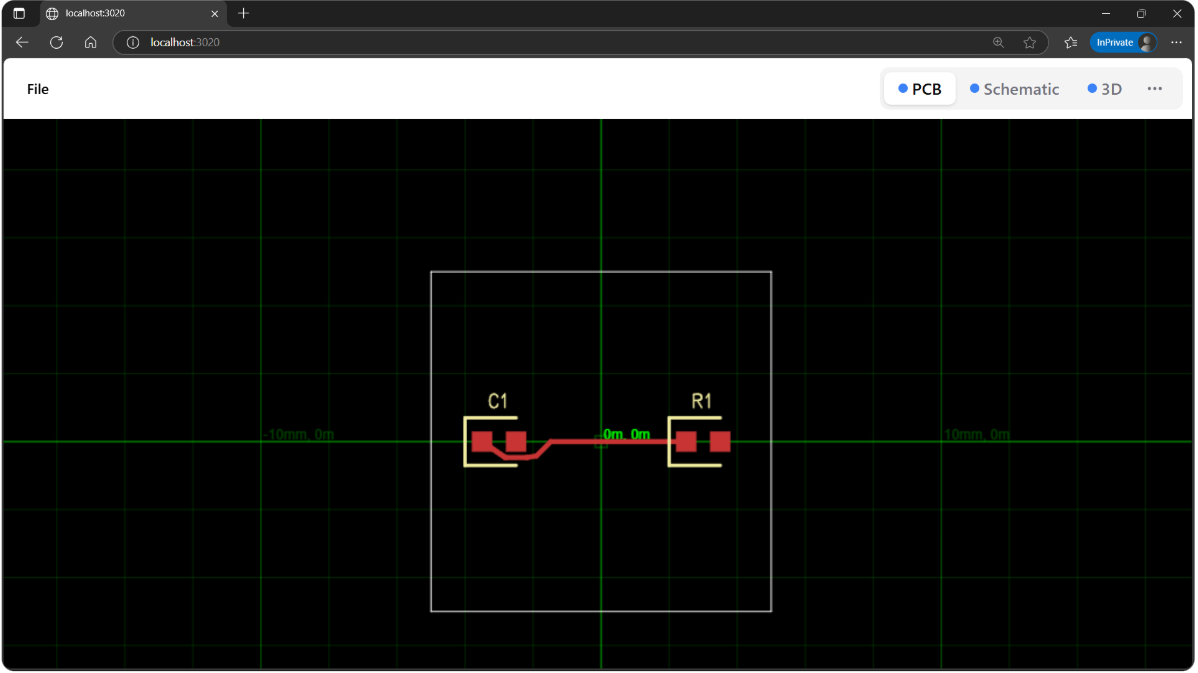
Watching ./ for changes...Go to http://localhost:3020. You can now see PCB, Schematic and 3D views of your circuit, which update in real-time as you make changes to your code.
Using the CLI Offline
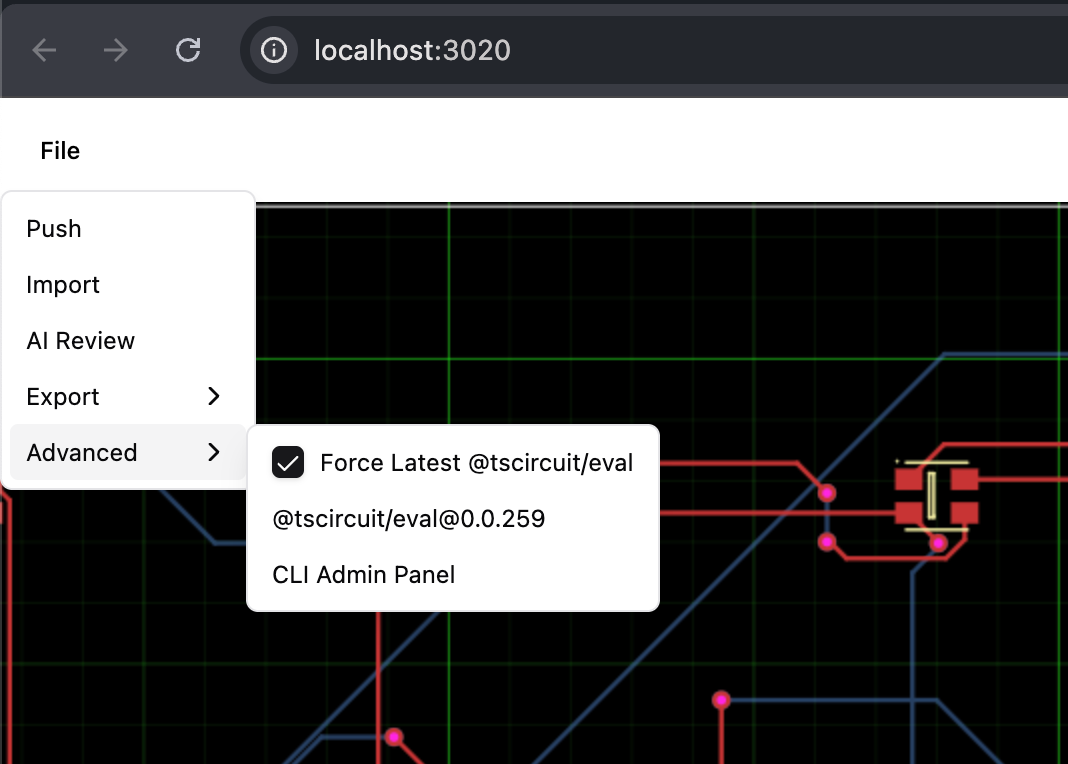
To use the CLI offline, you need to disable the "Force Latest @tscircuit/eval" option in the file menu. Click on "File" in the top menu, then uncheck the "Force Latest @tscircuit/eval" option:
Pushing to the tscircuit Registry
Next, you push your project by running tsci push. This will push your project to your registry.
tsci push
Detected entrypoint: "index.tsx"
Updated tscircuit.config.json with detected entrypoint
Package author does not match the logged in GitHub username
✔ Package "@tsci/dhvll.testProject" does not exist. Create it? … yes
✔ Package Visibility: › Public
✔ Snippet Type: › Board
Package created
↑ index.tsx
↑ package-lock.json
↑ package.json
↑ tscircuit.config.json
↑ tsconfig.json
"@tsci/dhvll.testProject@1.0.0" published!
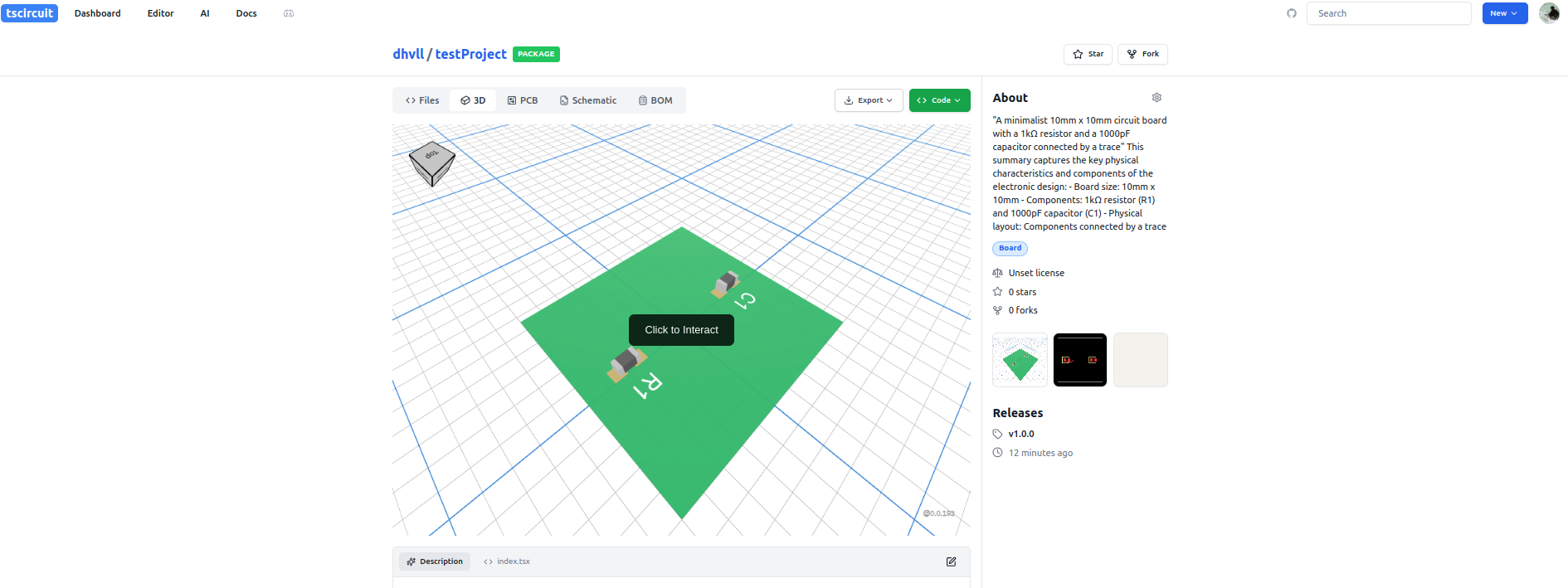
https://tscircuit.com/dhvll/testProjectGo to your tscircuit account. You can now see PCB, Schematic and 3D views of your circuit in you registry.
Exporting to SVGs, PDF, or Fabrication Files
This section is coming soon!